Give the task a home.
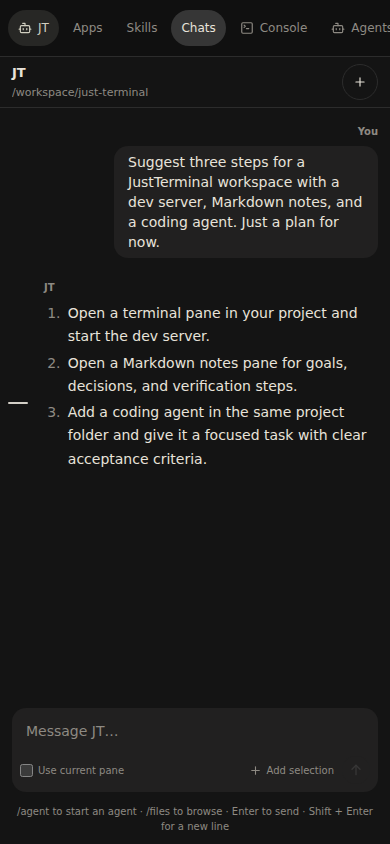
Start an independent Codex agent with a folder and a task. Check its progress, answer questions, and give direction while other agents keep working.
Working with agentsYour machine. Any browser.
A home for your coding agents, terminals, and files. Run JustTerminal on your own machine or server. Bring the whole task into view.
Linux · macOS · Windows via WSL2
Built-in chat uses your Codex account.
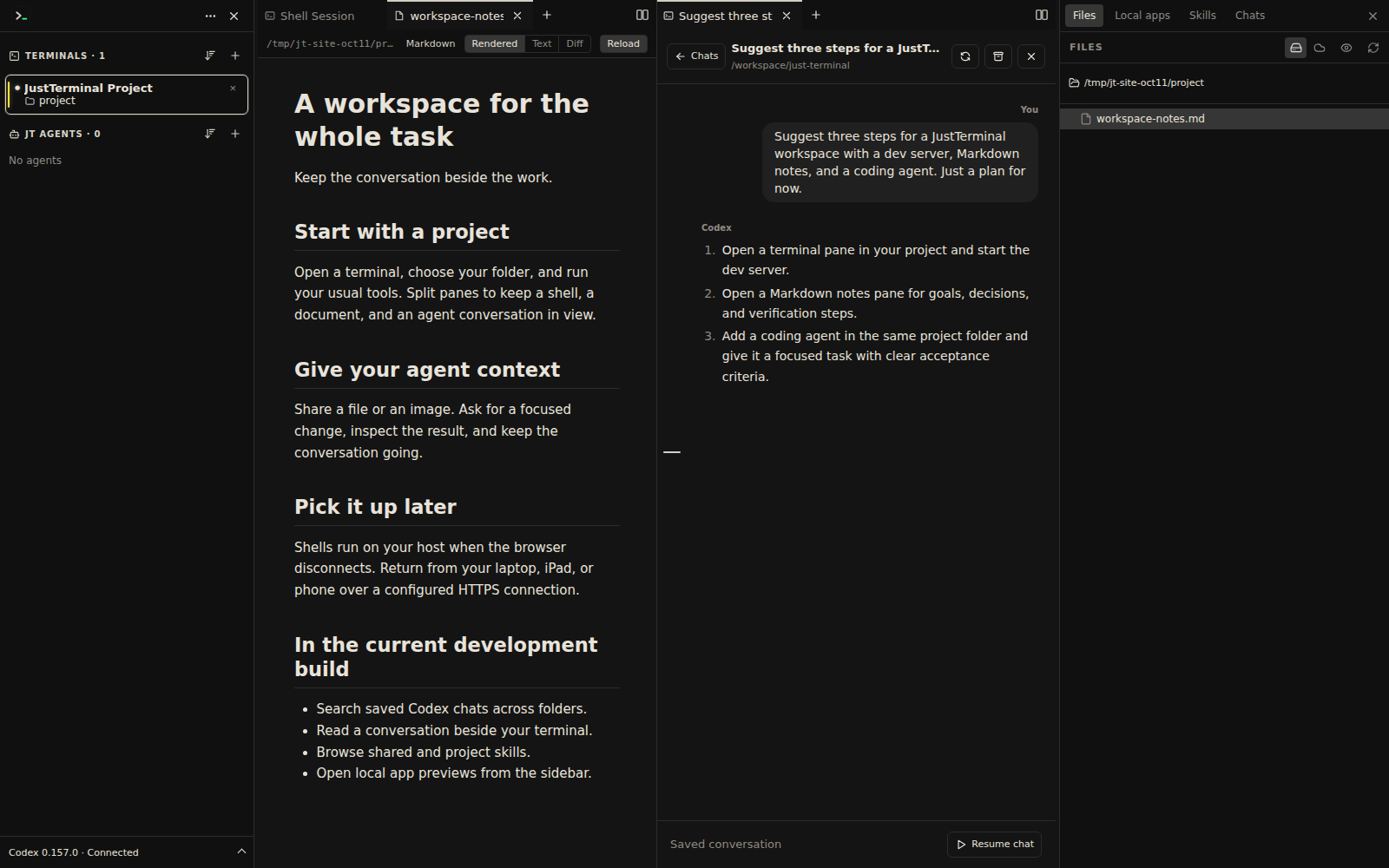
Real app. Real conversation. Development build · October 2026
Bring the tools you already use.
Codex powers integrated chats. Other CLI agents run in terminal panes.
From the first prompt to the last check
You still need the shell, the files, and a way to see what changed. Keep them beside your agent, with room to work your way.
Start an independent Codex agent with a folder and a task. Check its progress, answer questions, and give direction while other agents keep working.
Working with agentsOpen source, Markdown, and images from a reply. Keep your dev server in a real shell. Split panes or stack tabs to fit the task in front of you.
Explore the workspaceProcesses stay on your host when your browser disconnects. Come back to the current screen and scrollback, from your desk or another device.
Take it with youIn development Next release
Here’s what’s changed since v0.1.1. These features are in the current development build and are not yet in the public download.
Search saved Codex conversations across folders. Open one beside your terminal, read its history, and resume in its original project.
Archive and restore conversations without losing the history.
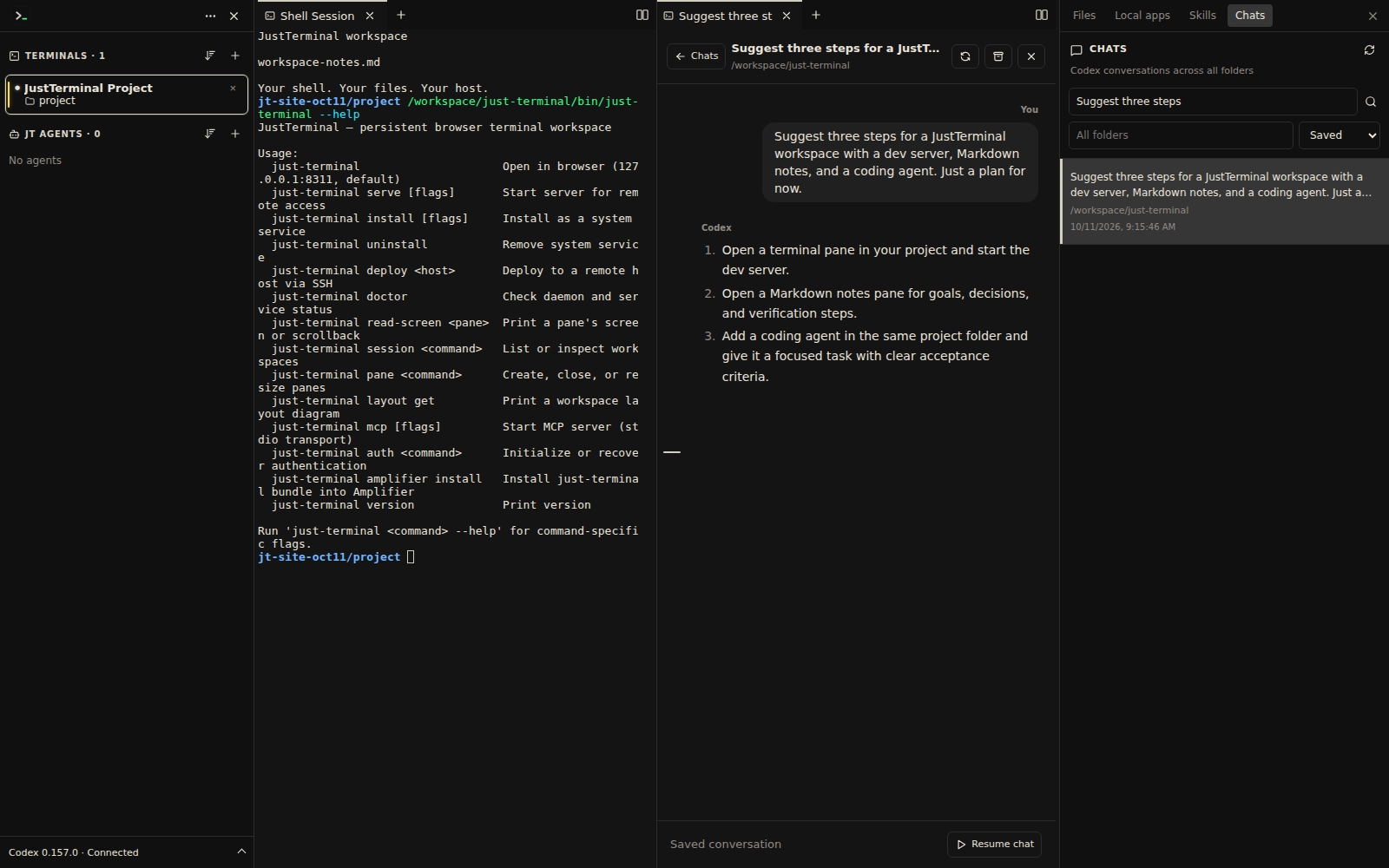
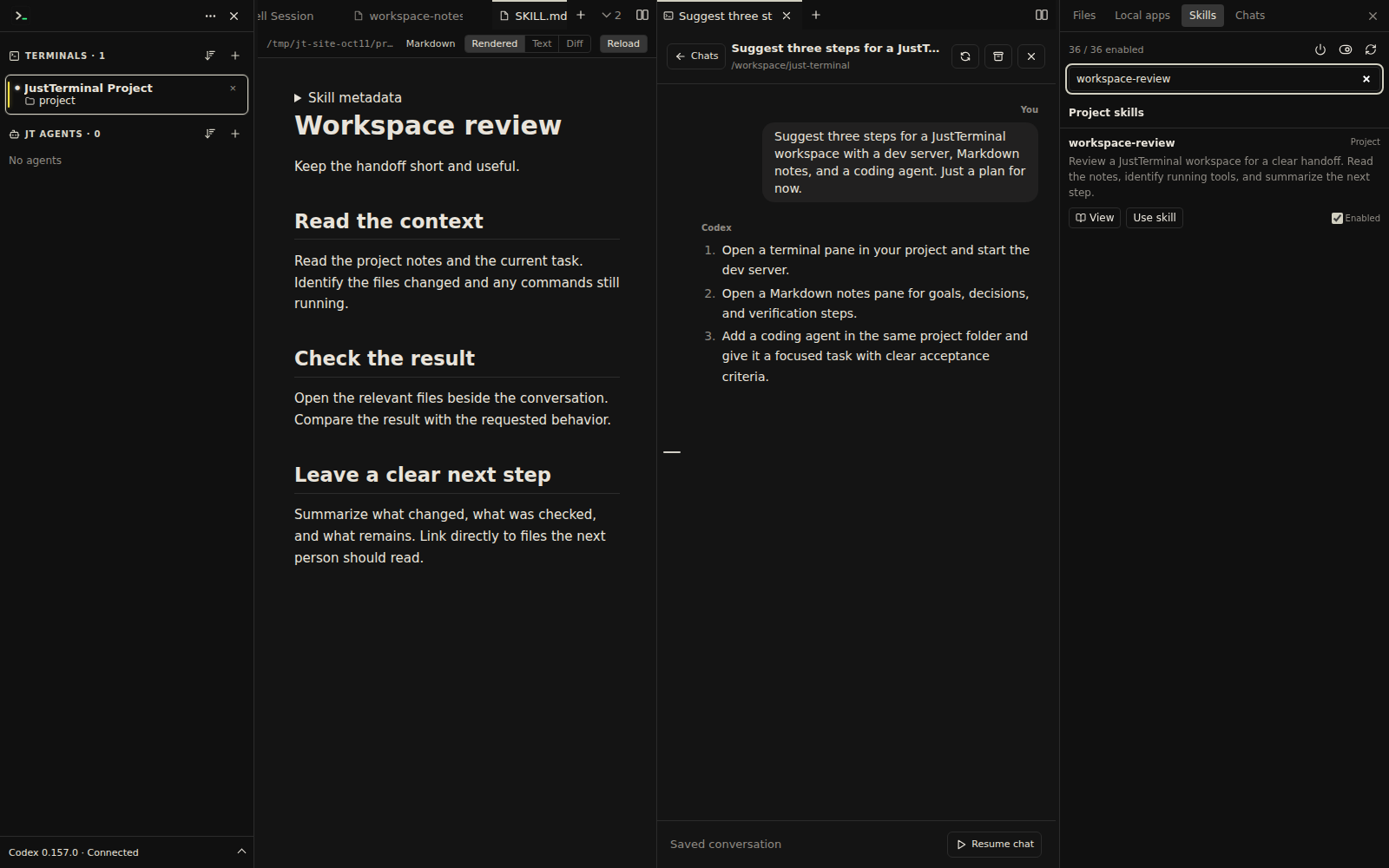
Browse shared and project skills in their own sidebar. Read the instructions in a Markdown pane, enable the skills you need, and add one to your agent’s prompt.
A shared library across projects, with project-specific instructions kept in context.
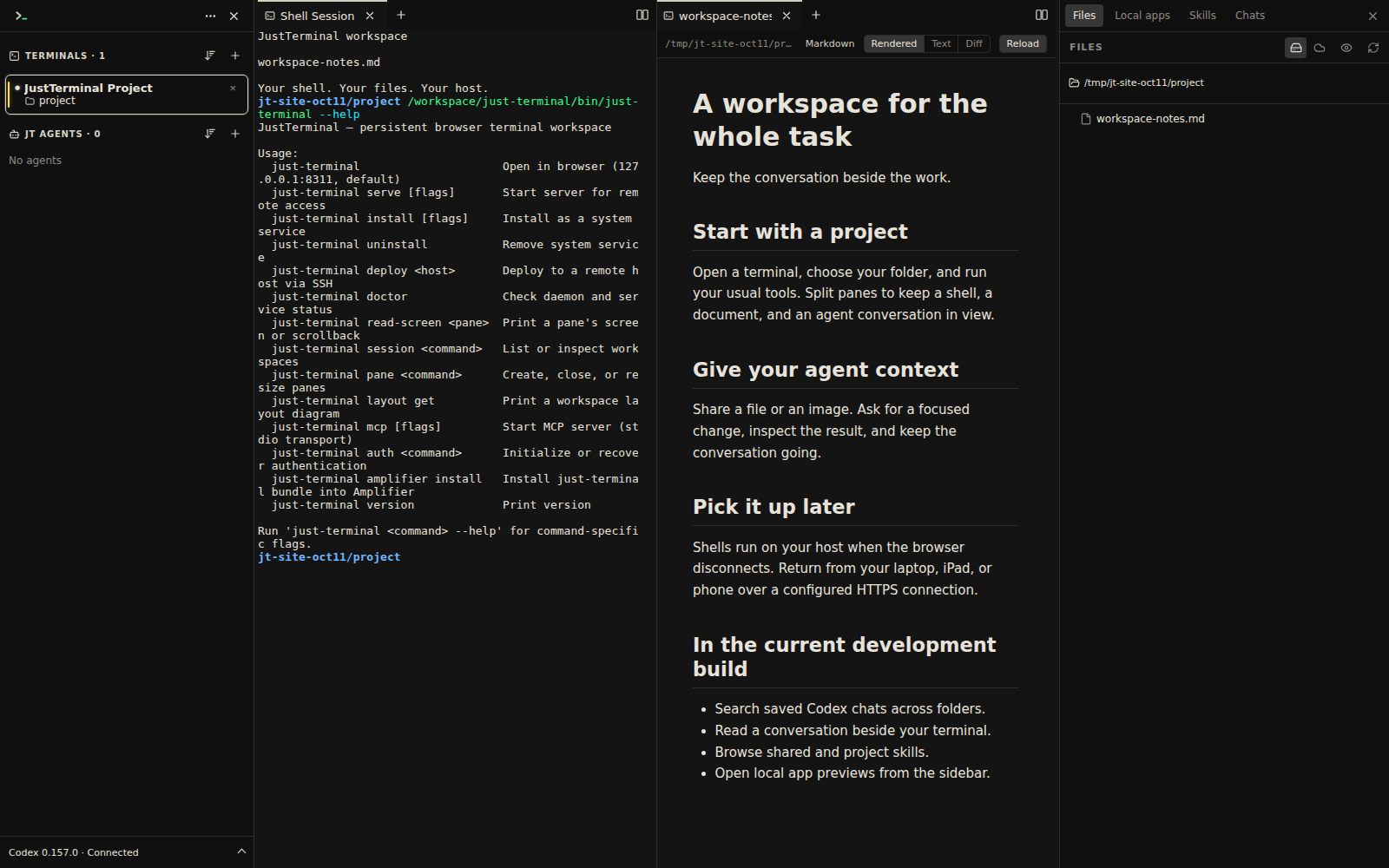
Read a document beside the shell that produced it. Follow project files from the sidebar and inspect Git changes in the file viewer’s diff mode.
Read-only viewers keep review close to your terminal editor or coding agent.
Jump between prompts with the conversation rail, preview earlier inputs, and rewind a Codex chat from a previous prompt.
Your local apps now live in the sidebar. Open your dev server’s URL alongside the rest of your project.
Create an expiring link for an individual S3 file, alongside server-side uploads, downloads, and folder transfers.
New coordinated palettes carry through terminals, conversations, sidebars, and Git status colors.
Your workspace travels light
Check in on a task from your phone. Read the result on your iPad. Come back to your desktop with the shells still running on your host.
Remote access needs HTTPS setup. A host reboot or container replacement ends running shells; saved files and resumable history need persistent storage.
On your terms
Start locally, or give your workspace a home on a server. JustTerminal runs the shells and stores its settings on your host. Codex uses your existing account.
Read the self-hosting guideStart with one workspace
Download JustTerminal. Open your project.
Bring your work together.
Public release: v0.1.1
Features marked “Next release” are not included yet.
Linux and macOS: x64 or ARM64. Windows: Linux builds inside WSL2.
./just-terminalThen open 127.0.0.1:8311 ↗
Installation guideNo Go or Node.js needed. For built-in agent chats, install Codex and sign in on the host separately.
A browser workspace you run on your own machine or server. It brings real shell sessions, Codex conversations, and project file viewers together. You use your existing terminal tools, editor, and agent accounts.
Yes, run Claude Code or another command-line agent in any terminal pane. Integrated chat, independent agents, and the upcoming saved-chat browser use Codex installed and signed in on the host.
No. Shell processes stay on the host when the browser disconnects. Reconnect to the current screen and scrollback. A host reboot or container replacement does end those processes. Persistent storage keeps files, settings, and resumable agent history.
The public download is v0.1.1. The “Next release” section and October screenshots preview the current development build. Saved-chat browsing, the shared skills library, prompt rewind, sidebar app access, S3 share links, and the newer themes are not in v0.1.1. Check release notes for published updates.
macOS builds are unsigned and not notarized; follow the installation notes. Windows requires WSL2 and uses a Linux archive. There is no native Windows executable.
The application repository is currently private. Downloads, documentation, and issue reporting are public through just-terminal-docs. Building from source requires collaborator access.